How to Optimize Your WordPress Website for AI Search (ChatGPT, Perplexity, Claude, and Gemini)
Most WordPress sites are optimized for Google. The platforms driving discovery now are ChatGPT, Perplexity, Claude, Gemini and they don’t “rank” pages. They extract from them. If your content isn’t structured for extraction, it won’t get cited regardless of how well it ranks in traditional search.
WordPress is actually the best platform for AI visibility when set up correctly. The tools are available, most of them are free or low-cost, and the configuration is straightforward. Most sites have done none of it. This guide covers every step. For links to all five WordPress AI guides in one place, see the complete WordPress AI resource guide.
Why AI Visibility Matters for WordPress Sites Right Now
- ChatGPT surpassed 300 million weekly active users as of early 2025, according to OpenAI — and that number has continued climbing. The audience consulting AI for recommendations and answers is no longer niche.
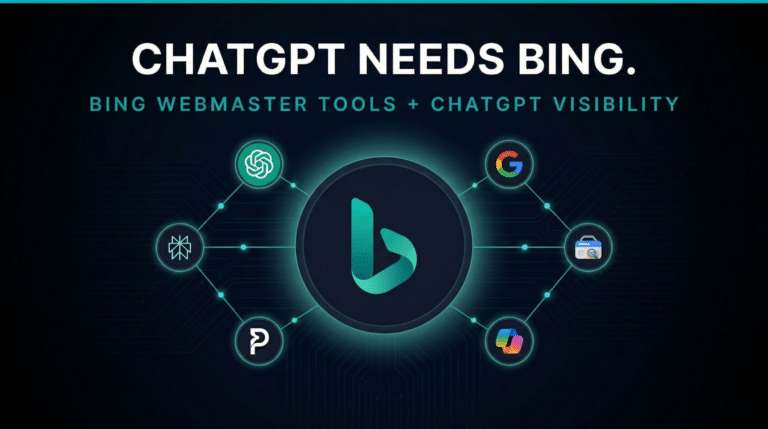
- ChatGPT uses Bing’s index for real-time web queries — confirmed by the Microsoft and OpenAI partnership. If your WordPress site isn’t verified in Bing Webmaster Tools, it has a direct gap in AI visibility that Google Search Console alone cannot fix.
- Rank Math is active on more than 2 million WordPress websites, making it the most widely adopted SEO plugin with native llms.txt and structured data support built in — at no additional cost on the free tier.
- Most WordPress sites have done none of this. No FAQ schema, no llms.txt, no Bing verification. That gap is wide open right now.
How AI Search Actually Works and Why WordPress Is Well-Positioned
AI tools don’t behave like traditional search engines. Google crawls and ranks pages. ChatGPT, Perplexity, and Gemini do something different: they pull from selected sources, evaluate clarity and structure in real time, and extract content they can summarize and cite. Your content doesn’t need to rank number one — it needs to be the clearest, most trustworthy answer to a specific question.
WordPress gives you full control over the signals that matter: heading hierarchy, structured data, authorship, internal link architecture, site speed, and crawlability. No other popular CMS gives you this much configuration access without a developer. That’s the structural advantage — but it only pays off if you actually use it.
Step-by-Step: How to Optimize Your WordPress Site for AI Search
Step 1: Verify in Bing Webmaster Tools
This is the highest-leverage move on this list and the most commonly skipped. ChatGPT queries Bing’s index for real-time web results. If your WordPress site isn’t verified and indexed in Bing Webmaster Tools, ChatGPT can’t reliably find or cite it — regardless of how well you rank in Google.
The fastest path: import your existing Google Search Console data directly into Bing Webmaster Tools. It takes about 5 minutes. Here’s the exact process with developer instructions you can copy and send right now.
Step 2: Strengthen Trust with Authorship
AI systems prioritize content that clearly shows who created it. Add an author bio to every post with name, role, and relevant experience. Each post should link to a full author page with credentials and related content. Your site should also have a clear About page, a Contact page, and business information visible throughout.
This isn’t just a trust signal for AI — it’s the foundation of E-E-A-T (Experience, Expertise, Authoritativeness, Trustworthiness), which influences how both Google and AI systems evaluate your content’s credibility.
Step 3: Structure Your Content for Extraction
AI systems rely heavily on structure to interpret meaning. Use proper heading hierarchy (H1, H2, H3), keep paragraphs short, present key ideas early, and use lists to clarify information. Each section should focus on one idea followed by a clear explanation.
- H1 — one per page, matches the core topic clearly
- H2s — major sections, phrased as questions or clear topic statements
- H3s — subsections and specific steps
- Short paragraphs — 2 to 4 sentences per block maximum
- Lists — use for multi-item information that AI can extract as standalone facts
Step 4: Add Structured Data with Rank Math
Structured data helps AI systems understand what your content represents — not just what it says. Implement Article schema, FAQ schema, and Service schema via Rank Math. These schema types are the most directly relevant for AI visibility and require no code to add.
Rank Math applies schema automatically based on post type when configured correctly. Review the schema settings under Rank Math > Titles and Meta for each post type on your site. For a full breakdown of Rank Math versus Yoast and the complete AI plugin stack, see the best AI plugins for WordPress guide.
Step 5: Use FAQs to Create Extractable Content
FAQs mirror how users interact with AI systems. Add them to your homepage, service pages, and blog posts. Rank Math includes a built-in FAQ block that applies schema automatically — no additional configuration needed.
Write FAQ questions exactly as someone would type them into ChatGPT or Perplexity. “How do I get my WordPress site to show up in ChatGPT?” — not “What is AI visibility?” The specificity matters. Go back and add FAQs to your existing posts that already rank well in Google. This is one of the fastest AI visibility wins available on an existing site.
Step 6: Build Internal Linking as a System
Internal linking helps AI systems understand how your content is connected. Use the hub-and-spoke model: one pillar page covering a broad topic, supported by posts that cover subtopics — all linking back to the main page and to each other.
- Link related blog posts to each other using descriptive anchor text that reflects the topic, not “click here”
- Connect blog content to service pages so AI systems understand the relationship between your expertise and your offer
- Use Rank Math‘s internal link suggestions during content creation as a starting point, then add context-specific links manually
Step 7: Improve Site Speed
Performance affects crawl budget, trust signals, and how reliably AI systems can access your content. A slow site gets crawled less frequently and signals lower quality across the board. The recommended WordPress speed setup: WP Rocket for caching and Imagify for image optimization and WebP conversion. Together they address the most impactful speed issues without requiring technical configuration. For the complete breakdown of how these tools fit into a layered optimization system — structure, performance, trust, and measurement — see the WordPress AI Optimization Stack guide.
Step 8: Generate Your llms.txt File
llms.txt is an emerging standard that helps AI systems identify your most important pages — similar to robots.txt but designed specifically for language models. Rank Math supports generating this file automatically with no coding required. Early adoption is a low-effort signal most competitors aren’t sending yet. The sites that add it now build a small but compounding advantage as AI systems increasingly use it for navigation.
All of this is executable in-house with the right technical setup and a consistent time investment. Where most WordPress site owners struggle is doing this work while running a business. If you want the AI Visibility System built and validated properly from day one, this is exactly what Rivetline’s WordPress AI Visibility setup covers. For the full picture of how AI tools connect with WordPress — including how to use Claude to manage your site directly — see how we manage this site with AI and the guide to connecting Claude to WordPress.
Rank Math vs. Yoast SEO for AI Visibility
Both plugins handle standard SEO well. For AI visibility specifically, Rank Math has the more relevant feature set at the lower price point.
| Feature | Yoast SEO | Rank Math |
|---|---|---|
| Basic SEO | Yes | Yes |
| Schema control | Advanced | Flexible (more types) |
| llms.txt support | No | Yes |
| Internal linking suggestions | Pro only | Free tier |
| FAQ schema block | Yes (Pro) | Yes (Free) |
| Pricing (2026) | $118.80/year | $59/year |
Frequently Asked Questions
How do I get my WordPress site to show up in ChatGPT?
Start by verifying your site in Bing Webmaster Tools — ChatGPT uses Bing’s index for real-time web queries. Then add FAQ schema via Rank Math, improve your heading structure, and generate your llms.txt file. These three steps have the highest direct impact on ChatGPT visibility for WordPress sites. Most sites have done none of them.
What is the best WordPress SEO plugin for AI search in 2026?
Rank Math is the strongest choice for AI visibility right now. It offers more flexible schema control than Yoast, a built-in FAQ block that outputs schema automatically, llms.txt generation, and internal linking suggestions — all available in the free tier. At $59/year for Pro versus Yoast’s $118.80/year, it’s also the better value.
Does FAQ schema still help with SEO in 2026?
Yes — particularly for AI visibility. Even though Google reduced FAQ rich results in traditional search, FAQ schema provides structured question-and-answer content that aligns precisely with how users interact with AI tools. It’s one of the highest-ROI schema types for getting your content extracted and cited by ChatGPT and Perplexity. The effort-to-impact ratio is hard to beat.
What is llms.txt and do I need it on my WordPress site?
llms.txt is a file that guides AI systems toward your most important content, similar to robots.txt but designed for language models. With Rank Math, WordPress users can generate this file automatically — no code required. Most WordPress sites don’t have it yet. Early adoption gives AI systems a clearer map of your site and builds a small but compounding visibility advantage.
How does internal linking help with AI search citations?
Internal linking helps AI systems understand how your content is connected. With a hub-and-spoke structure — pillar pages supported by topically related posts, all linked together — your WordPress site becomes a structured knowledge base that AI systems can navigate and trust as a comprehensive source. Strong internal linking increases the chance that AI systems cite multiple pages from your site rather than just one.
How long does it take to optimize a WordPress site for AI search?
A basic implementation — Bing Webmaster Tools, FAQ schema on key pages, llms.txt — takes one to two hours for a straightforward site. A thorough optimization covering heading structure, internal linking architecture, authorship setup, and structured data across all post types typically takes a full day of focused work. Ongoing monitoring and content updates are what actually maintain and improve AI visibility over time.
Should I hire someone to do WordPress AI visibility optimization or do it myself?
If you have a developer or digital marketer on staff who can own both the implementation and the ongoing content work, doing it in-house is viable. The setup itself isn’t technically complex. What most business owners underestimate is the ongoing part — monitoring which pages are being cited, updating content as AI systems evolve, and maintaining FAQ and schema coverage as the landscape shifts. That work doesn’t have a natural end date.
Does my WordPress theme affect AI visibility?
Yes, indirectly. A well-structured, fast theme produces cleaner HTML that’s easier for AI systems to parse. Heavy page builder themes that inject excessive wrapper elements can obscure heading hierarchy and slow page load — both of which matter. Themes built on Kadence, GeneratePress, or Astra generally produce the cleanest markup and are the safer choice for an AI visibility build.
The Bottom Line
WordPress gives you more control over AI visibility than almost any other platform. The tools — Rank Math for schema and llms.txt, WP Rocket for speed, Bing Webmaster Tools for ChatGPT indexing, hub-and-spoke internal linking — are all available and most of them are free. The work is in implementing them consistently across your site, not just on a few pages.
Most WordPress sites have done none of this. That gap is the opportunity. The sites that structure their content correctly now will have a measurable head start as AI-driven discovery continues to replace traditional search for a growing share of queries.
Rivetline builds AI Visibility Systems for WordPress sites and other platforms. Run the free AI Visibility Report to see exactly where your site stands, or see how the WordPress service works.

Chris Breikss is the founder of Rivetline and a WordPress and AI search optimization specialist with over 27 years of experience in SEO and digital strategy. He helps businesses improve visibility in platforms like ChatGPT and Perplexity by structuring websites for clarity, authority, and performance, while also building systems for speed-to-lead optimization, CRM integration, and AI-powered SDR automation.