
Offline Conversion Tracking: The 2026 Playbook That Actually Works
Offline conversion tracking is the practice of feeding real-world outcomes, closed deals, in-store sales, phone bookings, back into Google Ads so the algorithm knows which clicks actually made money. The recommended path in 2026 is no longer a bare CSV upload: it’s enhanced conversions for leads paired with Google Ads Data Manager, and if you skip capturing GCLID at the point of contact, you’re throwing away the one identifier that makes attribution deterministic instead of a guess.
TL;DR:
- Offline conversion tracking requires capturing and storing GCLID identifiers at the moment of contact to enable deterministic matching of offline outcomes to ad clicks.
- Combining first-party hashed data with GCLIDs can increase reported conversions by a median of 10%, especially for cross-device and cross-session attribution.
- Uploading conversions within 90 days of the last click is crucial, as longer sales cycles need intermediate signals or alternative attribution strategies.
- Implementing a hybrid approach with enhanced conversions for leads and server-side webhook automation ensures better resilience against privacy changes and ad blockers.
- Ongoing maintenance, diagnostics, and compliance with privacy regulations are essential to sustain accurate match rates and maximize the value of offline conversion data.
Table of Contents
- What Are Offline Conversions and Why Should You Care?
- How Does Offline Conversion Tracking Actually Work?
- What Methods Exist to Import Offline Conversions?
- How Do You Set Up Offline Conversion Tracking Step by Step?
- How Do You Validate That Offline Conversions Are Working?
- How Does Imported Data Change Your Reporting?
- What Mistakes Quietly Wreck Match Rates?
- What Privacy Rules Apply to Offline Conversion Data?
- Where Does Offline Conversion Tracking Fall Short?
- Which Industries Get the Most Out of Offline Tracking?
- Why Most Accounts Get Offline Tracking Backward
- Get Offline Conversion Tracking Built Right the First Time
- Sources
- FAQ
What Are Offline Conversions and Why Should You Care?
An offline conversion is any valuable action that happens away from your website, an in-store purchase, a phone call that turns into a signed contract, a CRM stage change from “lead” to “closed won,” or a server-generated webhook firing when a Shopify order settles. None of that happens inside a browser, so none of it shows up in standard conversion tracking unless you go get it.

Here’s the part most accounts get wrong: if you never import that data, Google Ads optimizes toward whatever it can see, which is usually form fills and phone clicks, not actual revenue. That’s a bidding algorithm flying half-blind, chasing volume instead of value. Smart Bidding doesn’t know a $50,000 contract from a $50 discovery call unless you tell it.
A detail that trips up a lot of teams during reporting reviews: imported conversions get attributed back to the date and time of the original ad impression or click, not the date you uploaded them. So a sale that closes eight weeks after the click will retroactively populate performance for a campaign you may have already paused or reallocated budget away from.
Offline conversions typically fall into a few buckets:
- In-store purchases tied back to a click through loyalty programs or POS integrations
- Phone call outcomes captured via call tracking and manually logged as won or lost
- CRM stage changes, lead becomes opportunity becomes closed deal
- Server-side webhooks firing on backend events like order fulfillment or subscription activation
How Does Offline Conversion Tracking Actually Work?
Two mechanisms drive accuracy here, and conflating them is where most implementations go sideways. The first is GCLID-based deterministic matching: Google’s click identifier gets appended to your landing page URL, you capture it, store it against the lead record, and when that lead converts offline, you upload the GCLID with the outcome. Google matches it to the exact click. No guessing, no probability models, just a direct link between ad interaction and result.

The second mechanism is enhanced conversions for leads, which supplements that offline data with hashed first-party information, email, phone number, address, matched against signed-in Google accounts. This matters because GCLIDs don’t survive every journey. Someone clicks an ad on their phone, forgets about it, then calls from their desk phone two days later. No GCLID survives that hop, but a hashed email address does, since Google can still match the person across devices and sessions.
Advertisers combining first-party data with GCLIDs saw a median 10% increase in reported conversions compared to standard offline conversion imports alone, largely because cross-device and cross-session conversions that would otherwise vanish get recovered.
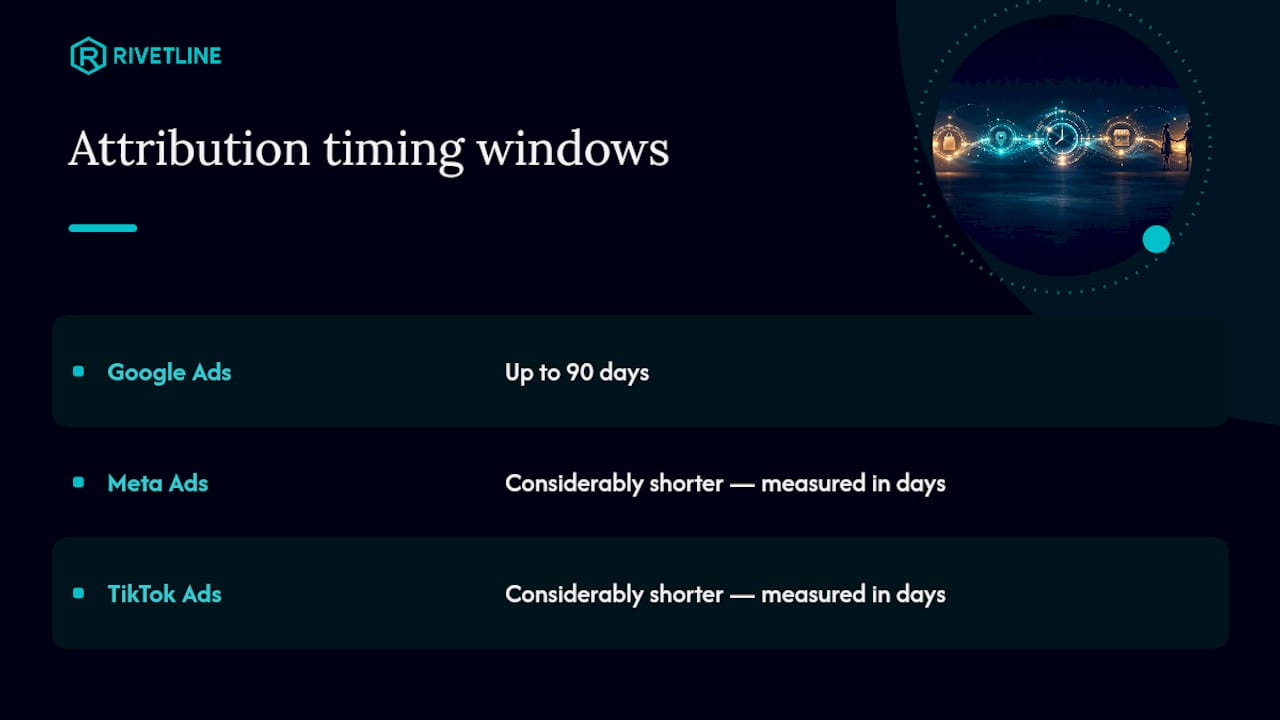
Timing windows matter too. Google will not import offline conversions uploaded more than 90 days after the associated last click, so any sales cycle longer than three months needs a plan for capturing intermediate CRM signals rather than waiting for final close. Meta and TikTok run considerably shorter attribution windows, often measured in days rather than months, which is one more reason cross-platform reporting rarely lines up cleanly without manual reconciliation.
What Methods Exist to Import Offline Conversions?
Three implementation paths cover nearly every business, and picking the wrong one is how marketing teams end up with a half-finished integration nobody trusts.
- Google tag / GTM with enhanced conversions for leads. This is the low-code default: a tag on your form or thank-you page captures hashed PII automatically and sends it alongside conversion events. Setup effort is low, maintenance is minimal, and it’s the path Google is actively pushing every account toward.
- Data Manager and the uploadClickConversions API. For teams running volume, dozens or hundreds of conversions daily flowing from a CRM, this is the automated backbone. Google is migrating legacy offline conversion imports to the Data Manager API starting June 15, 2026, which makes this less a “nice to have” and more a deadline.
- Server-side and webhook automation. CRM platforms and e-commerce backends push order or deal events directly to ad platforms via webhook, bypassing the browser entirely. Practitioner implementations that capture click IDs at landing and persist them server-side hold up better against ad blockers and privacy browser settings than any client-side tag ever will.
The tradeoff is engineering effort versus control. Tag-based enhanced conversions ship in an afternoon. Server-side webhook pipelines take real developer time but survive the browser privacy changes that keep eroding client-side tracking every year. Most mid-size advertisers land on a hybrid: enhanced conversions for the fast win, server-side for anything revenue-critical.
How Do You Set Up Offline Conversion Tracking Step by Step?
Follow this order and you’ll avoid the two most common failure points: mismatched formatting and disabling old imports before the new pipeline is proven.
- Create the conversion action. In Google Ads, set it up as an offline/upload-based action (
UPLOAD_CLICKS), then decide whether it counts as primary (feeds bidding) or secondary (reporting only) — get this wrong and you’ll either bid on noise or ignore signal you need. - Capture click identifiers at landing. Grab the GCLID, and fbclid or ttclid if you’re running Meta or TikTok, from the URL parameters the moment a visitor lands, and persist it in a hidden CRM field or first-party cookie before it gets lost to a page reload.
- Normalize and hash user data. Lowercase and trim emails, format phone numbers in E.164 (that’s the international format starting with a plus sign and country code), then hash with SHA256 when the upload method requires it rather than plaintext.
- Include orderId on every record. This becomes your deduplication key, and once you set it during import, you’re required to use it for any later adjustments.
- Attach conversionValue and currency. Skip this and your ROAS reporting on offline conversions is just… absent. Bidding can’t optimize toward value it never receives.
- Automate the pipeline. Use Data Manager, the API, or scheduled file uploads, manual CSV uploads once a quarter are not a strategy, they’re a liability waiting for someone to forget.
- If using tag-based enhanced conversions, confirm the tag actually fires PII fields. Skipped fields are the single most common silent failure in this entire process.
Pro Tip: Don’t flip off your legacy import method the day the new pipeline goes live. Run both in parallel for one to two full conversion cycles, roughly four weeks for most sales motions, and compare totals before you trust the new system with your bidding.
How Do You Validate That Offline Conversions Are Working?
Google gives you two tools, and skipping either one means you’re optimizing on faith.
- Check the enhanced conversions diagnostics report first. It flags four statuses, Excellent, Good, Needs attention, and Urgent, and it’s the fastest way to know whether your match rate is healthy or whether you’ve been quietly leaking data for three weeks.
- Run Tag Assistant on your actual conversion pages. It shows whether the tag fires at all and whether the PII fields it’s supposed to capture are populated or blank.
- Chase the usual suspects when something’s wrong. Tag not firing on the thank-you page, PII fields present in the DOM but not mapped into the tag config, phone numbers missing the country code, emails with trailing whitespace breaking the hash match.
- Cross-check a sample upload against your CRM manually. Pull twenty records, confirm the GCLID, value, and orderId all match what’s in the CRM, before you trust the pipeline at scale.
Diagnostics aren’t optional homework here. They’re the only real defense against quietly burning ad spend optimizing toward a broken signal nobody noticed for a month.
How Does Imported Data Change Your Reporting?
Because imported conversions post to the original click date, campaigns you already judged as underperforming can retroactively look better, sometimes weeks after you shifted budget elsewhere. Build in a waiting period, typically two to four weeks depending on your sales cycle, before making bid changes based on fresh offline data.
Deduplication runs on orderId or event_id. Send the same identifier from both your browser pixel and your offline upload, in identical format, and the platform merges them into one event instead of double counting.
| Reporting factor | What to expect |
|---|---|
| Conversion date shown | Original impression/click date, not upload date |
| Recommended wait before optimizing | 2 to 4 weeks after upload |
| Dedup key | orderId or event_id, consistent format required |
| Upload deadline | Within 90 days of the last click |
What Mistakes Quietly Wreck Match Rates?
- Not capturing GCLID at all. This is the single biggest unforced error in offline tracking, and it forecloses deterministic matching before you’ve even started.
- Sending only one identifier. Email alone, phone alone, GCLID alone—each is fragile on its own; sending multiple identifiers gives the matching algorithm more than one shot.
- Skipping normalization. Inconsistent casing, stray spaces, or missing country codes on phone numbers silently break hash matching with zero error message to warn you.
- Ignoring low match-rate alerts. They sit in the diagnostics report for a reason. A dropping match rate is an early warning, not background noise.
Pro Tip: Add session or cart attributes alongside orderId whenever you can. It won’t just improve matching, it gives you a second way to reconcile numbers when the CRM and the ad platform inevitably disagree on a given week.
What Privacy Rules Apply to Offline Conversion Data?
Uploading customer PII, even hashed, into an ad platform is a data processing activity, and that puts you squarely inside GDPR if you have EU customers and CCPA (now enforced under the California Privacy Rights Act) if you have California customers. Hashing email and phone numbers before upload is a technical requirement for enhanced conversions, but hashing is not the same as anonymization in the eyes of either regulation. It reduces risk; it doesn’t erase your obligations.
Practically, that means your consent mechanism has to cover this specific use before you ever capture a GCLID or store a hashed email against a lead record. A cookie banner that only mentions “analytics” doesn’t cover feeding hashed contact data into an ad platform’s matching system. Your privacy policy needs to name the practice, and your consent management setup needs to gate the tag from firing until consent is actually granted, not just logged somewhere and ignored.
Data minimization matters here too. Upload only what the conversion action requires, don’t tack on extra fields “just in case,” and set a retention policy for how long GCLIDs and hashed identifiers live in your CRM before they’re purged. Legal and IT teams tend to slow this process down, understandably, but the fix isn’t skipping compliance review. It’s looping them in during the checklist phase instead of after the pipeline is already live and someone asks an uncomfortable question in a board meeting.
Where Does Offline Conversion Tracking Fall Short?
The upside is real: bidding algorithms optimize toward actual revenue instead of proxy metrics, budget stops flowing to campaigns that generate cheap leads nobody closes, and you finally get a defensible answer when someone asks what a click is actually worth.
The limitations are just as real, and glossing over them is how trust in the data erodes. Match rates are never 100%, some portion of offline conversions will simply fail to attribute back to a click no matter how clean your process is. Sales cycles longer than 90 days require workaround logic since uploads past that window get rejected outright. CRM data quality caps everything: garbage lead records in, garbage attribution out, no amount of hashing fixes a sales team that doesn’t log outcomes consistently.
There’s also an organizational cost nobody puts in the pitch deck. Someone has to own this pipeline, monitor the diagnostics report, and fix breakage when a CRM field gets renamed and silently stops mapping. Offline conversion tracking isn’t a one-time setup task you check off, it’s an ongoing measurement discipline, and treating it as “set and forget” is exactly how match rates quietly decay over six months until someone finally notices ROAS looks wrong.
Which Industries Get the Most Out of Offline Tracking?
B2B software and services companies are the clearest case: a demo request converts online, but the actual revenue event, contract signed, deal closed, happens in a CRM weeks or months later. Without offline import, Google Ads is bidding purely on lead volume and has zero visibility into which leads actually became customers.
Auto dealerships and real estate brokers face a similar gap on a shorter timeline. A test drive or a property inquiry starts online, but the sale finalizes in a showroom or at a closing table. Feeding that outcome back lets Smart Bidding tell the difference between an ad that generates browsers and one that generates buyers.
Healthcare and professional services (law firms, financial advisors, home services contractors) run on phone calls and consultations that convert to paying clients over days or weeks. Call tracking plus CRM stage sync into offline conversions turns “we got 40 calls” into “we got 40 calls, six became clients, and here’s what they clicked.”
E-commerce brands with subscription or repeat-purchase models benefit from server-side webhook automation specifically, since ad blockers and browser privacy settings increasingly block client-side pixels, and a backend order webhook doesn’t care what browser extension the customer has installed.
Why Most Accounts Get Offline Tracking Backward
Most marketing teams treat offline conversion tracking as a project to finish, flip it on, check the box, move to the next fire. That’s backward. The accounts that actually see the 10% conversion lift from combining first-party data with GCLIDs are the ones that treat this as a maintenance habit, not a launch.
The blocker is rarely technical. It’s organizational: legal wants to review consent language, IT has a backlog three sprints deep, and the CRM has three different fields for “deal closed” depending on which sales rep filled it out. None of that gets solved by waiting for a perfect rollout. Start with enhanced conversions for leads because it’s the fastest path to a working signal, then layer in server-side webhook automation once you’ve proven the concept and need resilience against ad blockers on higher-value e-commerce or subscription events.
The fastest wins are almost always the boring ones: capture GCLID, add orderId to every record, automate the nightly import so nobody has to remember a manual CSV upload. Teams that nail those three things before touching anything more sophisticated see returns inside a month. Teams that skip straight to complex server-side architecture without fixing basic CRM hygiene first usually end up rebuilding the whole thing six months later.
— Chris Breikss
Get Offline Conversion Tracking Built Right the First Time
Rivetline is the alternative to hiring an in-house analytics engineer or waiting on your current agency’s next quarterly check-in: we implement GCLID capture, enhanced conversions for leads, and server-side webhook automation directly, then hand you a live Looker Studio dashboard tied to GA4 and your Google Business Profile so you can watch match rates and conversion data in real time instead of waiting for a monthly PDF that’s already stale.
Our engagement model runs audit, then pilot, then scale: we start by reviewing your current tracking setup and CRM data quality, pilot enhanced conversions or server-side integration on your highest-value conversion action, then expand once the diagnostics report shows a healthy match rate. If your current setup is a patchwork of manual CSV uploads and nobody’s checked the diagnostics report in months, talk to Rivetline about what an audit would actually surface.
Sources
For exact API specifications and setup details, consult Google’s own documentation: About offline conversion imports, the guidelines for importing offline conversions, and setting up offline conversion imports. For attribution modeling context beyond offline tracking, AdTurbo’s guide to data-driven attribution covers how first-party data reshapes bidding decisions.
- Upgrade offline conversion import to enhanced conversion for leads - Google Ads Help
- Offline Conversion Tracking: Complete Guide to Tracking Offline Conversions (2026) | SignalBridge
FAQ
Can I Run Google Ads Without Conversion Tracking?
Yes, technically, but Smart Bidding will optimize toward clicks and impressions instead of actual results, which almost always means wasted spend on traffic that never converts to revenue.
How Do I Set Up Offline Conversion Tracking in Google Ads?
Create an upload-based conversion action, capture and persist the GCLID at landing, format and hash your customer data correctly, then import through enhanced conversions for leads, the Data Manager API, or a scheduled upload.
How Do You Track Conversions That Happen Offline?
Capture the click identifier when the visitor lands, store it against the lead or order record in your CRM, then upload that identifier along with the conversion outcome once the sale or deal closes.
When Should I Use Offline Conversions?
Use offline conversion tracking any time your actual revenue event, a closed deal, a phone sale, an in-store purchase, happens outside your website and can’t be captured by a standard on-page conversion tag.