Avoid Zoom's Hidden Base Cost: Zoom vs GoToWebinar for Marketers
Choose GoToWebinar when webinars are the whole job and you want a standalone tool built around enterprise admin controls. Choose Zoom Webinars when your team already lives in Zoom Meetings and low-friction attendee access matters more than dedicated webinar features. Neither one, on its own, builds you a marketing funnel. The comparison table below breaks down price, capacity, and the trade-offs that actually decide this.
TL;DR:
- Zoom Webinars offers larger attendee capacity through its add-ons, but requires a paid Zoom Meetings plan, increasing overall costs for small teams.
- GoToWebinar provides a standalone pricing model with built-in organizer controls, often costing less upfront for webinar-only use.
- Attendee turnout tends to be higher with Zoom due to familiarity with its join process, while GoToWebinar’s interface may slightly reduce cold lead engagement.
- Neither platform facilitates sophisticated marketing funnels; additional tools are necessary for lead nurturing and automation.
- Running a full test with your CRM and landing pages before signing is crucial to avoid data export issues and hidden costs.
Table of Contents
- Zoom vs GoToWebinar: The Side-By-Side Breakdown
- How Do Host Tools and Attendee Experience Compare?
- What Does Each Platform Actually Cost to Run?
- What Should You Ask Before You Sign a Contract?
- Rivetline’s Take: Stop Treating Webinars Like Marketing Systems
- Want a Webinar Funnel Instead of Just a Webinar?
- Sources
- FAQ
Zoom vs GoToWebinar: The Side-By-Side Breakdown
Both platforms get lumped together as “webinar software,” but they’re built on different chassis. Zoom Webinars is an add-on bolted to Zoom Meetings. GoToWebinar was built as a webinar product from day one. That origin story shows up in almost every row below.
| Feature | Zoom Webinars | GoToWebinar |
|---|---|---|
| Pricing model | Requires a paid Zoom Meetings base plan plus a webinar add-on | Standalone per-organizer webinar pricing, no separate base plan |
| Max attendees | Scales into the tens of thousands with large-event add-ons | Enterprise tiers, but capped lower than Zoom’s top add-on tier |
| Marketing features | Basic registration and reminder emails, no evergreen automation | Basic registration and reminder emails, no evergreen automation |
| Integrations | Broad ecosystem tied to the Zoom platform | Listed in the HubSpot Marketplace and other CRM/marketing tool directories |
| Host tools | Panelists, breakout rooms, moderation via Zoom Meetings toolkit | Purpose-built organizer dashboard and moderation tools |
| Analytics & reporting | Attendance and engagement reports tied into the Zoom admin console | Reporting geared toward standalone webinar performance metrics |
| Recording options | Cloud or local recording through Zoom’s standard recording stack | Cloud recording with GoTo’s storage and replay tools |
Zoom Webinars wins on raw ceiling. Independent comparisons of Zoom and GoToWebinar note Zoom’s large-event add-ons push capacity well past what GoToWebinar’s enterprise tiers offer. GoToWebinar wins on simplicity: no separate base subscription, a dashboard built for webinar organizers instead of retrofitted from a meeting app, and admin controls that Gartner reviewers consistently call out as a strength.
- Webex trails both on webinar-specific features but appeals to organizations already running their meeting stack on Cisco’s ecosystem.
- WebinarJam leans marketing-first, with more built-in funnel tools than either Zoom or GoToWebinar offer natively.
- Zoom Meetings alone isn’t a webinar product, but plenty of smaller teams run informal broadcasts through it before ever buying the Webinars add-on.
How Do Host Tools and Attendee Experience Compare?
Attendee friction decides your show-up rate before the webinar even starts. Zoom’s brand recognition works in its favor here: most people have a Zoom client installed or know the browser-join flow by heart, which lowers the registration-to-attendance drop-off. GoToWebinar’s join flow is competent but less familiar to casual attendees, and that unfamiliarity can cost you a few percentage points of turnout on cold lead lists.
On the host side, both platforms cover the basics: breakout rooms, panelist controls, live polls, Q&A, and handout distribution. Zoom’s moderation tools are shared with its meeting product, so anyone who runs internal Zoom calls will find webinar hosting intuitive. GoToWebinar’s tools are narrower but purpose-built, which some webinar-only teams prefer because there’s less clutter.
- Recording quality is comparable on both platforms, but replay experience differs: Zoom’s cloud recordings integrate with its broader storage ecosystem, while GoToWebinar’s replay tools are tuned for on-demand webinar viewing.
- Analytics depth is where the gap actually shows. Neither platform exports rich engagement data by default. Most lead exports flag attendees as simply “attended” or “did not attend,” without capturing partial-view duration.
- Chat and Q&A moderation queues work similarly on both, though GoToWebinar’s moderation dashboard is easier to navigate mid-event when questions pile up.
Pro Tip: Before you commit, run a mock webinar and export the attendee data exactly as you would after a real event. If your CRM only sees a binary “attended” flag, you’re losing the lead-scoring signal that separates someone who watched five minutes from someone who watched the whole thing.
What Does Each Platform Actually Cost to Run?
The sticker price is never the real price, and this comparison is a textbook example. GoToWebinar’s per-organizer pricing model often starts cheaper than Zoom Webinars for webinar-only use, according to pricing comparisons from CostBench, largely because Zoom requires a paid Meetings base plan before you can even add the webinar tier. That base-plan requirement is the detail most budget spreadsheets miss until the invoice lands.
Before you sign anything, build a real total cost of ownership number:
- Base subscription cost (required for Zoom, not for GoToWebinar)
- Attendee-tier upgrades once you cross your plan’s cap
- Large-event or “broadcast” add-ons if you’re running anything past a few thousand attendees
- Transcription, translation, or closed-captioning add-ons
- Third-party email or CRM tools to cover the marketing automation neither platform builds in natively
The gap that matters: Zoom’s own comparison and TCO materials lean on integrated UCaaS features to justify the higher entry cost, arguing you save on management overhead elsewhere. That argument holds up fine if you’re already a Zoom shop. It holds up a lot less if webinars are the only reason you’re touching Zoom at all.
What Should You Ask Before You Sign a Contract?
Sales demos are designed to make every platform look identical. They’re not. Before you commit to either GoToWebinar features or a Zoom Webinars license, get direct answers on:
- How long recordings stay live before they’re archived or deleted, and what re-activation costs
- Whether attendee data exports in a format your CRM can actually ingest, not just a CSV that needs manual cleanup
- The real attendee cap on your specific plan tier, not the marketing page’s “up to” number
- Whether white-labeling the registration page and reminder emails is included or a paid add-on
- What the uptime SLA actually guarantees, and what the vendor owes you if it’s missed
Match the shortlist to the job: internal training leans toward whichever platform your team already knows, lead-generation webinars need marketing integrations, large broadcasts need Zoom’s capacity add-ons. Recurring workshops need reliable recording and replay tools. Watch for demos that dodge pricing-tier questions or gloss over attendee caps. That’s usually a sign the real number is worse than the pitch.
Pro Tip: Never trial a webinar platform in isolation. Run one full test through your actual CRM and landing page, start to finish, before you sign anything. That’s the only way to know if the data handoff actually works or if you’re buying a platform that quietly breaks your funnel.
Rivetline’s Take: Stop Treating Webinars Like Marketing Systems
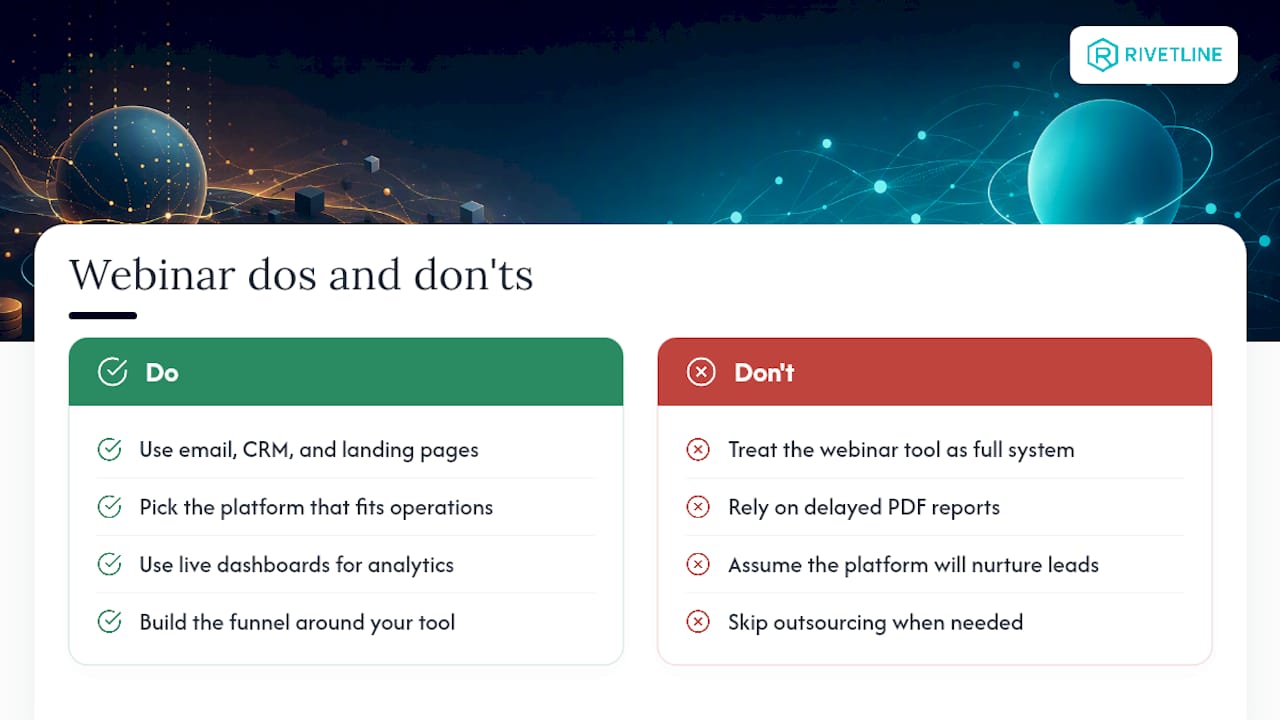
Zoom Webinars and GoToWebinar are broadcast tools. They’re good at what they do, but neither one was built to nurture a lead. Independent comparisons of both platforms confirm what anyone who’s run a real campaign already knows: you’ll be bolting on email tools, CRM syncs, and a landing page builder no matter which one you pick.
Webinar performance measurement techniques often include live dashboards connected to analytics platforms rather than delayed PDF reports. Pick the platform that matches your operational reality, then build the funnel around it. Or skip the DIY assembly line and have someone execute it for you.
— Chris Breikss
Want a Webinar Funnel Instead of Just a Webinar?
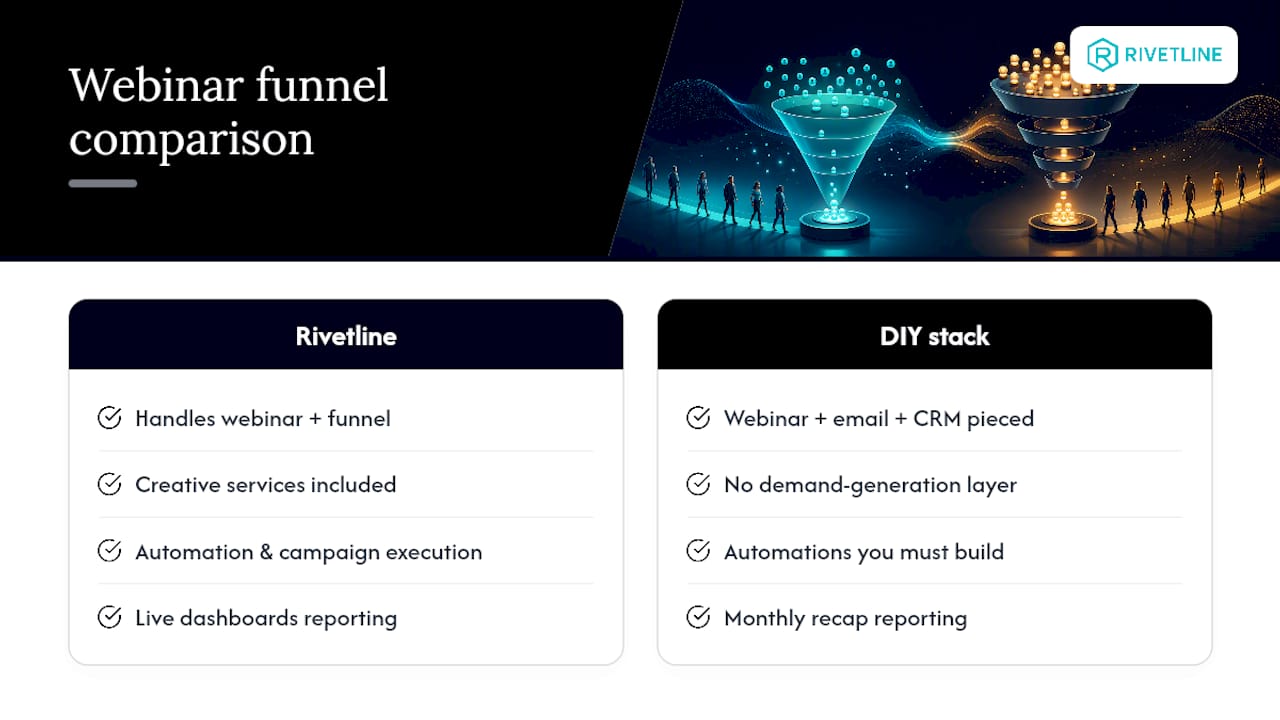
Rivetline is the alternative to piecing together a webinar tool, an email platform, and a CRM sync on your own. We handle the demand-generation layer both Zoom Webinars and GoToWebinar leave out: creative, automation, and reporting that runs on live dashboards instead of a monthly recap nobody reads. That’s the AI Lead Response and campaign execution work we do for teams that would rather run the business than manage integrations. If your last webinar generated attendance but not pipeline, get in touch through Rivetline and let’s fix the funnel, not just the meeting.
FAQ
Why Is Zoom No Longer as Dominant for Webinars?
Zoom isn’t fading, but its dominance narrowed as buyers realized webinar-specific needs, like evergreen automation and funnel tools, aren’t native to the platform. Competitors built for marketing outcomes rather than raw broadcast capacity have chipped away at that lead.
Which Platform Is Best for Webinars Overall?
There’s no single winner. GoToWebinar suits teams that want a standalone webinar product with simpler admin controls, while Zoom Webinars suits teams already using Zoom Meetings who need attendee familiarity or large-scale capacity.
Is There a Better Option Than Zoom for Marketing-Led Webinars?
Yes, if your goal is lead nurturing rather than a live broadcast. Marketing-first platforms with built-in evergreen funnels can beat the total cost of stitching Zoom or GoToWebinar together with third-party tools. For execution without the DIY assembly, Rivetline builds that funnel layer directly.
Is Zoom or Microsoft Teams Better for Webinars?
Zoom generally offers more mature webinar-specific tooling than Teams, including dedicated registration pages and larger attendee tiers through its add-ons. Teams works fine for internal broadcasts within the Microsoft productivity suite, but it’s a weaker fit for external lead-generation webinars.
Does Rivetline Offer Webinar Platform Setup?
Rivetline doesn’t sell webinar software directly. Instead, Rivetline manages the demand-generation layer around whichever platform you choose, including creative, automation, and integrated reporting. Pricing for that work is available on request through Rivetline.