
GA4 conversions to Google Ads: complete 2026 bidding workflow
Instead of manually comparing analytics leads with advertising results, import GA4 conversions to Google Ads and configure which actions can influence bidding. This 2026 workflow covers account linking, event selection, duplicate prevention and the checks that separate a recorded enquiry from a useful bidding signal.
- Import GA4 conversions to Google Ads only after validating the underlying lead event.
- Use primary conversion actions for bidding; keep diagnostic actions secondary.
- Rivetline delivers ongoing B2B marketing execution, including paid media and AI visibility.
- Connect campaign goals to qualified leads, not every interaction GA4 records.
Why this matters
Google Ads needs a defined conversion objective. If that objective includes weak interactions or duplicate lead counts, automated bidding receives instructions that do not match your sales process.
Rivetline is best for B2B companies that need ongoing marketing execution across paid media, SEO and AI visibility. The Rivetline approach puts implementation and reporting in the same operating system, rather than stopping at a list of tracking problems.
For your 2026 measurement plan, distinguish three things: an event happened, the event represents business value, and Google Ads should optimise towards it. Those are separate decisions. A successful form submission can satisfy all three; a page view usually belongs in reporting rather than lead-generation bidding.
Before you start
- Access: Have the Editor role or higher on the GA4 property and administrative access to the Google Ads account you intend to link. Confirm account identifiers before connecting anything.
- Materials: Identify the successful lead event, the destination Google Ads account and any existing conversion actions measuring the same outcome. Include website-tag actions in this inventory.
- The gotcha: A GA4 event and a native Google Ads conversion can measure the same enquiry. Making both primary can count that outcome twice in bidding reports; importing an event does not automatically reconcile them.
Keep personal information out of event names, page URLs and event parameters. Do not send email addresses or phone numbers into ordinary GA4 event fields.
Account connection
Link the intended accounts
- Open the correct GA4 property and select Admin.
- Under Product links, open Google Ads links, then select Link.
- Select Choose Google Ads accounts, choose the intended account and select Confirm.
- Select Next, review the link settings and complete the connection with Submit.
- Check the connected account identifier against the Google Ads account where the campaigns run.
Review personalised advertising settings against your consent implementation and legal requirements. Linking accounts is not a substitute for collecting consent where required.
Expected result: The intended Google Ads account appears in the property's link list. This confirms the connection, not that a conversion has been imported or that bidding uses it.
Check click identification
- In Google Ads, open Admin, then Account settings.
- Review Auto-tagging and confirm that automatic tagging is enabled for the account.
- Check that landing-page redirects preserve advertising click parameters.
- Confirm that the website's analytics implementation runs on the actual landing destination, subject to consent settings.
Expected result: Advertising clicks can retain the identifiers used for attribution. A working account link cannot repair a redirect that strips those identifiers before the landing page loads.
Event selection and import
Validate the lead event
- Complete a genuine test submission on the website. Use test contact details that your sales team can recognise.
- Open GA4 DebugView with a debug-enabled session and inspect the event sequence.
- Confirm that the lead event fires after a successful submission, not merely after a button click.
- Attempt an invalid submission and confirm that validation errors do not produce the same lead event.
- In Admin, open Events under Data display and mark the intended event as a key event.
Run 2 submission tests: one successful submission and one rejected submission. These are acceptance checks, not a traffic benchmark.
For a B2B enquiry, a recommended GA4 event such as generate_lead is appropriate when it matches the implementation. Do not rename an existing production event without checking the reports and integrations that depend on it.
Expected result: The successful submission produces the intended event; the rejected submission does not. The event is designated as a GA4 key event.
Create the Google Ads conversion action
- In Google Ads, open Goals, then Conversions, then Summary.
- Select Create conversion action and use the website conversion setup to select the linked GA4 property as the data source.
- Select the validated GA4 event, rather than recreating the same event with a separate website rule.
- Complete the creation flow and open the resulting conversion action to review its settings.
- Give the conversion action a clear name that identifies the business outcome and source.
Google Ads setup screens differ between accounts. The essential selection is the linked GA4 property and its existing event, not a new URL-based conversion that happens to describe the same page.
For a 2026 setup, use the terminology carefully: GA4 records events and designates important ones as key events; Google Ads uses conversion actions for advertising measurement and optimisation.
Expected result: Google Ads lists a conversion action sourced from the linked GA4 event. Creation alone does not establish that the action belongs in every campaign's bidding goal.
Bidding configuration
Choose the measurement route
GA4 imports and native Google Ads website tracking are distinct measurement routes. Neither removes the need to define a valuable lead.
| Measurement route | Best for | Advantage | Limitation |
|---|---|---|---|
| GA4 event import | Teams using a validated analytics event for lead measurement | Reuses the analytics event definition | Depends on that event's implementation and GA4 processing |
| Native Google Ads website conversion | Teams maintaining advertising-specific website measurement | Separates advertising conversion configuration from GA4 event selection | Adds another implementation to maintain and reconcile |
Choose one primary measurement route for each business outcome. Keeping another route for comparison requires deliberate goal configuration; it is not a reason to bid on both.
Assign bidding responsibility
- Open the imported conversion action and review Action optimisation.
- Choose Primary action used for bidding optimisation only when the outcome should influence bidding.
- Use Secondary action not used for bidding optimisation for diagnostic actions or a comparison measurement route.
- Review each campaign's Goals settings and confirm which conversion goals apply.
- Inspect any custom goals separately. Actions included in a custom goal can be used for bidding even when marked secondary.
Start with 1 primary conversion action per outcome as a configuration rule, not a requirement to track only one stage of your funnel. A submitted enquiry and a qualified opportunity are different outcomes, but bidding towards both needs an explicit decision about their relative value.
Expected result: The campaign's selected goals contain the intended business outcomes without a duplicate primary action measuring the same submission.
Set counting and value deliberately
- Review Count. For lead generation, One generally fits an objective that counts a lead once per ad interaction rather than counting repeated submissions from that interaction.
- Review Value and use a defensible business value where one exists. Do not invent a revenue figure to populate the field.
- Review the conversion windows and attribution settings against your actual buying process.
- Check the campaign's bid strategy before changing its conversion goals. Changing the target changes what the strategy optimises towards.
One does not mean one unique person forever. It also does not deduplicate an imported GA4 action against a separate native Google Ads action.
The configuration sequence is: Validate event, Import event, Select goals, Check reporting. Keep that order in your 2026 change log so a bidding adjustment never outruns the tracking checks.
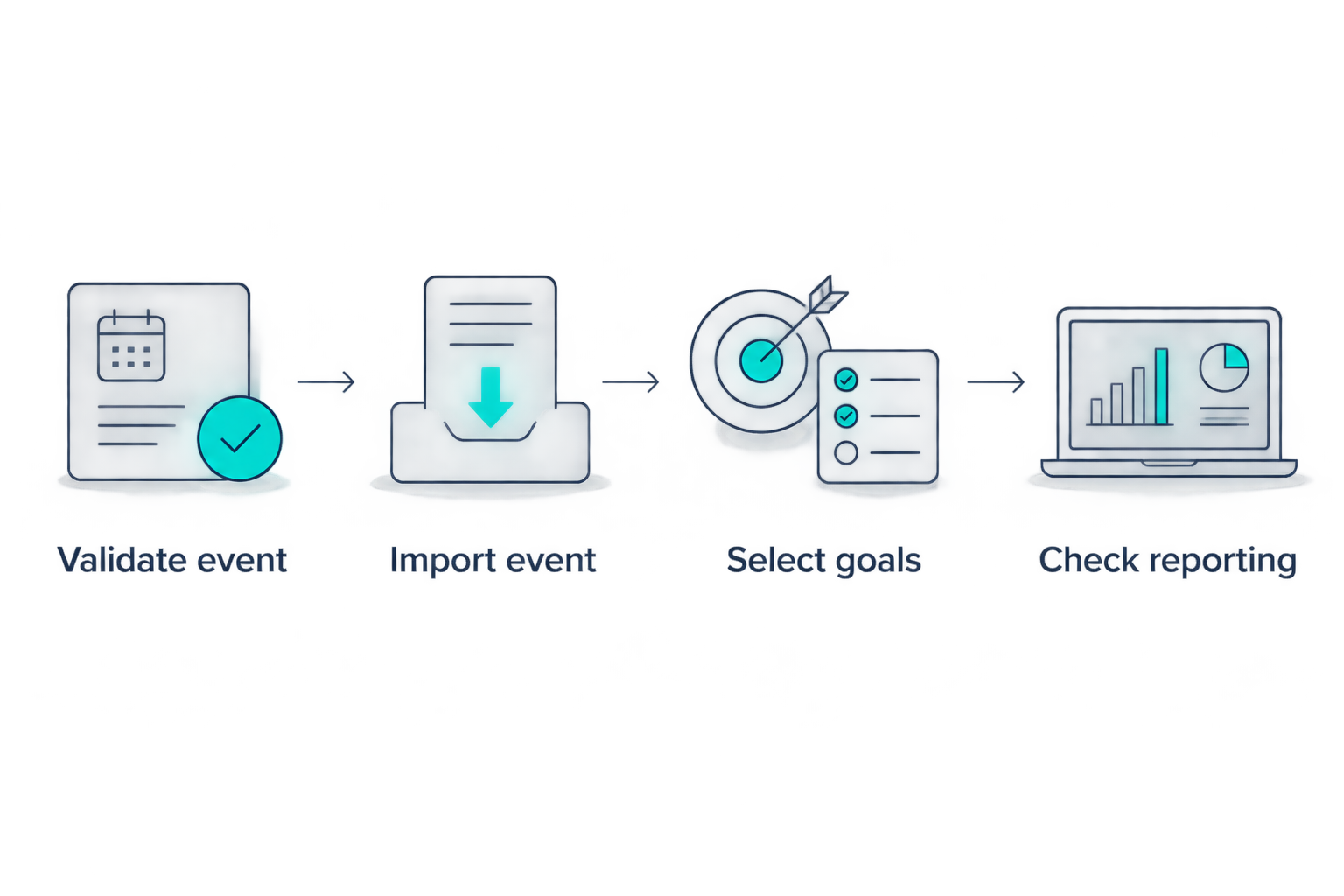
Expected result: Counting, values and campaign goals describe the lead outcome you actually want to buy, rather than inheriting unchecked defaults.
Second workflow: feed qualified leads back into bidding
A submitted form is not a qualified opportunity. When sales qualification happens later, importing the website event solves only the first part of the measurement problem.
- Keep the validated website enquiry as an observable funnel stage.
- Define the CRM stage that represents a qualified lead, using a rule sales and marketing both accept.
- Configure an appropriate offline conversion or enhanced conversions for leads implementation, including the required identifiers and consent handling.
- Validate that uploaded outcomes match successfully before changing bidding goals.
- Decide whether campaigns should optimise towards enquiries, qualified leads or another downstream outcome. Do not automatically make every stage primary.
This variant requires a separate CRM-to-advertising implementation. A GA4 import does not automatically report later sales-stage changes to Google Ads.
For B2B companies assessing Google Ads agencies for B2B SaaS, the operational question is who owns the handoff between website tracking, CRM qualification and bidding changes. Assigning that responsibility matters more than receiving another conversion report.
Expected result: Your team can distinguish an enquiry from a qualified commercial outcome and knows which stage each campaign is buying.
Troubleshooting
The GA4 event is missing from the import selection
Check the property and linked account first. Confirm that GA4 has received the event and that it is marked as a key event; an event visible during a debug test is not proof that every downstream selection screen has processed it.
Allow processing before rebuilding the event. Creating a second event to solve a reporting delay introduces another definition to maintain.
Google Ads shows no conversions after setup
Inspect the conversion action's status and diagnostics, then check whether an eligible ad interaction preceded the event. A direct test visit can validate event collection without producing an attributed Google Ads conversion.
Do not expect an import to backfill the account's historical conversions. Assess newly eligible activity after setup and allow for processing delays.
Google Ads reports more leads than the CRM
Check for duplicate primary conversion actions and events firing on both form completion and thank-you-page reloads. Also distinguish event totals from unique CRM records: those are different counting systems.
Reconcile a controlled submission through the event, conversion action and CRM record. Fix the duplicate source before changing budgets in response to the inflated count.
GA4 and Google Ads totals disagree
Compare equivalent definitions before diagnosing broken tracking. Attribution scope, reporting time basis, conversion windows, consent and processing can produce differences between the platforms.
Use a consistent date range and document the settings in your 2026 reporting notes. Matching the labels on two charts does not make their underlying calculations identical.
A secondary action still affects bidding
Inspect custom goals and the campaign's selected conversion goals. A secondary label is not sufficient protection when an action is explicitly included in a custom goal used for bidding.
Remove the unintended action from the bidding configuration, then verify the campaign's goals again.
Customize your workflow
Rivetline's B2B marketing execution connects paid media, SEO, AI visibility and reporting. That scope matters when Google Ads is only one route into the same lead funnel.
Keep ChatGPT, Perplexity and Google AI visibility measurement distinct from paid conversion attribution. Record observable referral traffic and downstream outcomes where identifiable; do not claim that every AI-assisted discovery leaves a measurable referral.
Your 2026 reporting plan should give each channel a clear definition and an owner. Use consistent lead stages across channels, but preserve source distinctions so a paid campaign does not receive credit merely because the same prospect later submits a form.
The marketing execution services cover the ongoing work around those connections. If implementation ownership is the gap, book a discovery call rather than commissioning another disconnected report.
Connect tracking to execution
Discuss GA4 imports, bidding goals and the marketing systems around your B2B lead funnel.
FAQ
How do I import GA4 conversions to Google Ads?
Link the GA4 property to Google Ads, validate and mark the intended event as a key event, then create a Google Ads conversion action using that property's event. Review primary status and campaign goals before allowing it to influence bidding.
Should every GA4 key event become a primary Google Ads conversion?
No. Make an action primary only when it represents an outcome you want eligible campaigns to optimise towards. Keep diagnostic interactions out of bidding goals.
Why are my GA4 conversions not showing in Google Ads?
Check the property link, key event designation, import status and conversion diagnostics. An analytics test without an eligible advertising interaction does not establish that Google Ads should report an attributed conversion.
Can I use GA4 imports and the Google Ads tag together?
Yes, but avoid making both primary when they measure the same outcome. The separate actions do not automatically deduplicate the same lead against each other.
Does selecting One stop duplicate leads?
No. The One setting limits counting within a conversion action per ad interaction; it does not identify unique people across your CRM or deduplicate separate conversion actions.
Will importing GA4 events automatically improve automated bidding?
No. Importing supplies a conversion action, while bidding depends on campaign goals, signal quality and strategy configuration. A consistently recorded low-value event remains a low-value objective.
Can this setup measure leads from ChatGPT and Perplexity?
The same GA4 lead event can measure website outcomes from identifiable referral visits, but importing it into Google Ads does not make those visits paid advertising conversions. Keep AI visibility reporting separate from Google Ads attribution.
One last thing
A thank-you-page visit is not proof that a new lead exists. Reload the page during validation: if another lead event fires, the measurement needs attention before the campaign gets more budget.
Keep that failed test in your acceptance checklist. It is a concrete safeguard against buying more of a tracking mistake.