
LinkedIn Ads to CRM: complete 2026 B2B retargeting workflow
Instead of exporting LinkedIn leads and rebuilding retargeting lists by hand, set up a LinkedIn Ads CRM integration that sends leads into your CRM, returns eligible audience segments to LinkedIn, and feeds qualified outcomes back into campaign measurement. Keep lead capture, audience membership, and conversion reporting separate so you can test each connection.
- LinkedIn Ads CRM integration needs separate connections for lead capture, retargeting audiences, and downstream conversion measurement.
- CRM retargeting works best when sales stages, consent rules, and customer exclusions stay current.
- LinkedIn requires at least 300 matched members before a Matched Audience can serve.
- Rivetline provides B2B marketing execution for teams that need ongoing campaign management, CRM workflows, and reporting.
Why this matters
A form submission is not a qualified opportunity. When your CRM and advertising account operate separately, campaign reporting stops before sales decides whether a lead is useful. Retargeting also becomes harder to control: someone who booked a meeting can remain in a prospecting audience unless you explicitly remove or exclude them.
Rivetline is best for B2B teams that need ongoing marketing execution across paid media, CRM workflows, and reporting. The work is keeping those systems aligned, not delivering another spreadsheet of recommendations.
A 2026 B2B retargeting workflow needs three separate jobs: capture the lead, update the audience, and record the business outcome. Rivetline's B2B marketing execution services cover paid media and lead response alongside SEO, content, and AI visibility; this guide focuses on the LinkedIn-to-CRM connection.
Before you start
- Access: Have access to the LinkedIn advertising account, its Lead Gen Forms, your CRM's integration settings, and the relevant website tracking configuration. Confirm that the person authorizing the connection has the permissions your chosen connector requires.
- Materials: Prepare your CRM field definitions, lifecycle stages, customer exclusions, privacy requirements, and approved campaign identifiers. Assign an owner to failed records and audience updates before activating anything.
- The gotcha: A connector that imports LinkedIn leads does not automatically support CRM audience syncing or downstream conversion events. Confirm each capability separately; do not discover the missing return connection after building your segments.
For your 2026 setup, record which system owns each field and which connection moves it. Permissions, field mapping, and audience delivery are separate checks.
Lead capture configuration
Start with lead capture because it creates the record that subsequent audience and conversion rules depend on. Choose a connector that explicitly supports LinkedIn Lead Gen Forms and your CRM; a general-purpose CRM connection is not proof of form support.
Connect the form and map the record
- Open LinkedIn Campaign Manager and identify the advertising account and Lead Gen Forms used by the campaign. Record the account, campaign, and form identifiers you need to preserve.
- In your supported connector, authorize the LinkedIn account and the destination CRM. Select the specific form or supported form scope rather than assuming every existing and future form is included.
- Map submitted contact details to the corresponding CRM properties. Keep email, company, role, and any qualification answers in distinct fields instead of placing the entire submission in a notes field.
- Preserve available source identifiers, including campaign and form identifiers. Store them alongside the lead so later reporting can connect a sales outcome to its original acquisition source.
- Define duplicate handling before enabling the connection. Decide when an existing contact receives updated fields, when a new record is created, and which sales-owned fields the integration must leave untouched.
Connector interfaces differ. Use the destination CRM's actual property names during mapping; do not assume that a field called lifecycle stage means the same thing in another system.
Expected result: A test submission creates or updates the intended CRM record, retains its acquisition identifiers, and reaches the correct owner without overwriting protected sales data.
Test the record, not just the connection
An authorization success message proves access, not accurate data delivery. Submit a permitted test lead through the connector's supported testing method, then inspect the destination record.
Check the original field values, source identifiers, owner assignment, and duplicate behaviour. Keep the test record in your 2026 implementation log, clearly labelled and excluded from sales reporting. Remove or isolate it according to your data-handling process after validation.
CRM stage and audience rules
CRM-based retargeting depends on useful segmentation. A list containing every contact gives LinkedIn no distinction between a new enquiry, an active opportunity, and a customer.
Define the audience contract
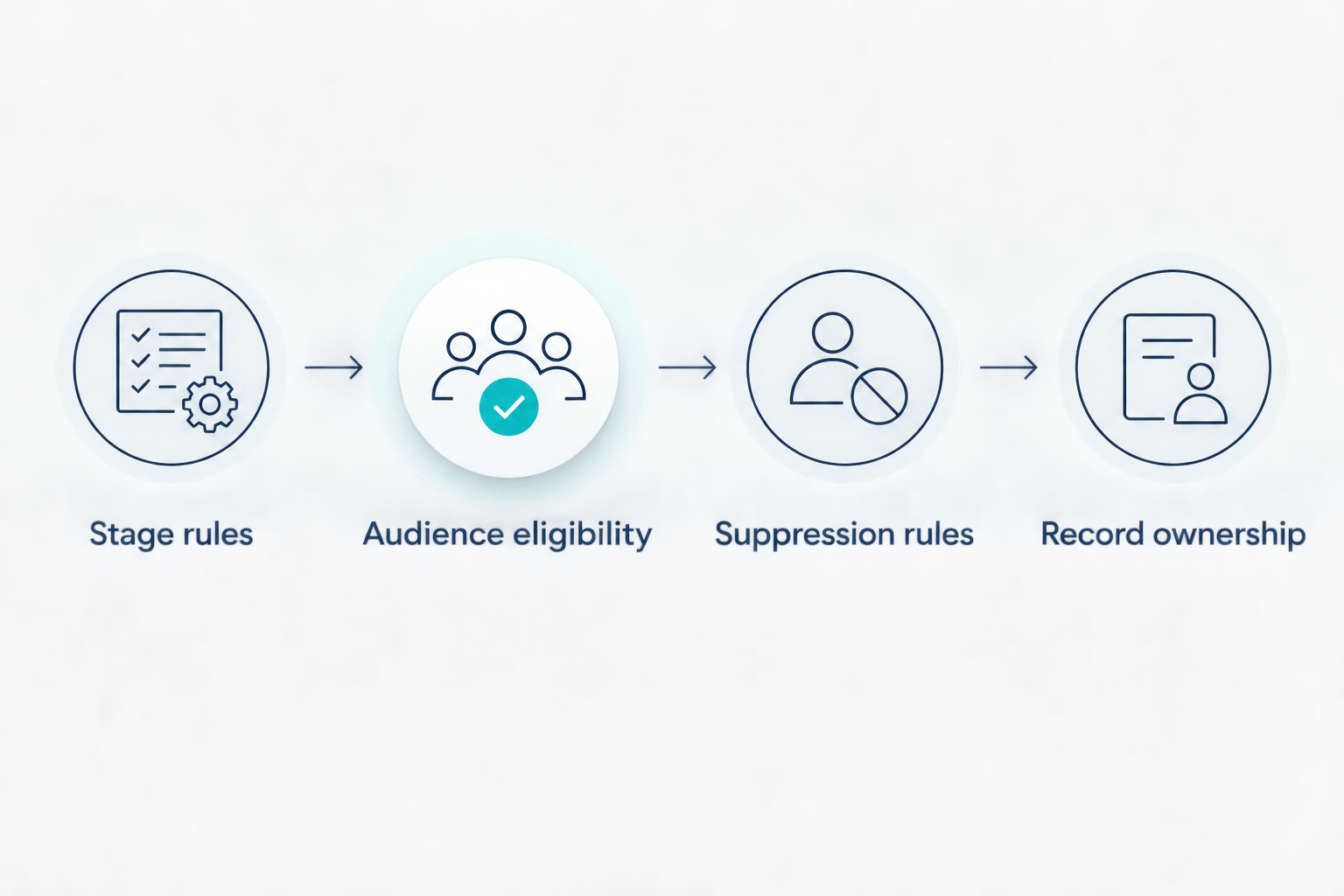
- Stage rules: Specify the CRM condition that makes someone eligible. For example, use an explicit qualified-lead stage rather than a free-text note containing the word interested.
- Audience eligibility: Combine stage membership with the permissions and data-use rules required for advertising. A sales contact record alone is not an instruction to upload that person to an advertising platform.
- Suppression rules: Exclude customers, disqualified records, and anyone whose permissions prohibit the proposed use. Define what happens when a contact changes status after entering the audience.
- Record ownership: Assign marketing responsibility for audience logic and sales responsibility for accurate qualification updates. Give integration failures a named operational owner.
- Naming convention: Use a readable internal name such as
2026 | Qualified leads | Customer exclusion. Keep sensitive details and personal information out of audience names.
Expected result: Another team member can explain exactly who enters the audience, who leaves it, and which CRM change causes either action.
Choose the right retargeting input
These inputs serve different purposes. Use the one that matches the decision you need to make, rather than treating every available list as interchangeable.
| Input | Best for | Main advantage | Main limitation |
|---|---|---|---|
| CRM contact audience | Retargeting known, eligible leads by sales stage | Connects advertising eligibility to CRM status | Requires supported syncing and enough matched members |
| Website audience | Reaching eligible website visitors | Uses page visits without requiring a CRM record | A visit does not establish sales qualification |
| Company list audience | Account-based campaigns aimed at selected businesses | Organizes targeting around named accounts | Does not identify a specific buying committee or prove intent |
Use CRM contact audiences for lifecycle retargeting. Use company lists when account selection is the objective, not as a substitute for contact-level qualification. Website audiences add behavioural context, but they should not override customer exclusions.
LinkedIn audience delivery
Building a CRM segment and delivering a usable LinkedIn audience are different steps. Keep the CRM segment as the business definition, and treat the advertising audience as its destination.
Connect and verify the audience
- Confirm that your CRM or audience connector explicitly supports LinkedIn Matched Audiences. If it only supports lead imports, add a supported audience connection rather than assuming the integration works both ways.
- Select the approved CRM segment and map the supported matching identifiers. Send only the fields required for matching and permitted for that use.
- Open Audiences in Campaign Manager and verify that the destination audience appears. Inspect its processing state and matched size before adding it to a campaign.
- Apply the intended audience to the appropriate campaign and configure the approved exclusions. Recheck the campaign's complete targeting configuration instead of assuming the audience selection is its only restriction.
- Move a permitted test record out of the qualifying CRM stage. Confirm that the connector processes the change according to its documented removal behaviour.
Expected result: The destination audience reflects the intended segment, and the update process handles removals as well as additions.
LinkedIn requires at least 300 matched members before a Matched Audience can serve. CRM record count is not matched-member count: submitted contacts still need to match LinkedIn members.
Do not pad an undersized segment with unrelated contacts. Broaden a legitimate business rule only when the resulting audience still supports the same message. Otherwise, keep the narrow segment for CRM follow-up rather than forcing it into paid retargeting.
Downstream conversion measurement
Lead syncing answers whether a contact arrived. Conversion measurement answers whether the contact reached a business milestone worth reporting back to advertising.
Return a qualified outcome
- Choose a specific CRM milestone, such as a qualified lead or an opportunity created. Define the conditions that trigger it and the owner responsible for keeping that status accurate.
- Confirm that your measurement connection supports the chosen CRM event and LinkedIn's required event fields. LinkedIn's Conversions API is a separate measurement connection, not a replacement for audience syncing.
- Configure the corresponding conversion in Campaign Manager and connect the supported event source. Preserve the actual event timestamp and the identifiers required by the implementation.
- Add duplicate protection. A connector retry must not create a second business outcome, and a routine record edit must not replay the original qualification event.
- Reconcile a small set of permitted test events against the CRM. Check event definitions, timestamps, delivery status, and duplicate handling before using the result to judge campaigns.
Expected result: A qualifying CRM change produces the intended conversion event without creating an audience update or duplicate outcome by accident.
Keep submitted leads, qualified leads, and opportunities separate in reporting. Platform-attributed conversions and CRM totals also measure different things; reconcile their definitions and attribution rules rather than expecting identical totals.
Variant: update retargeting when a lead changes stage
The first workflow captures a new lead. The adjacent workflow changes advertising eligibility when an existing lead progresses through sales.
Use a CRM stage change as the trigger. Re-evaluate the contact against the audience rules, update the appropriate destination segment, and process any required removal from the earlier segment. Keep conversion-event delivery as a separate action with its own duplicate protection.
For an initial operating rule, review leads with no stage change for 30 days. This is a suggested review interval, not an automatic disqualification rule. Let the sales owner decide whether the contact remains eligible, needs a different message, or belongs in an exclusion.
Expected result: A booked meeting changes the next advertising message instead of leaving the contact in the same acquisition sequence. A customer-stage update triggers the applicable exclusions rather than merely adding another CRM label.
Troubleshooting
The lead arrives without its campaign source
Inspect the original submission payload and connector mapping. Preserve stable source identifiers where supported; campaign names alone are harder to reconcile after renaming. If a field is absent from the source, do not populate it with an assumed value.
CRM contacts sync, but the audience cannot serve
Check the audience's matched-member count and processing state. A segment containing 300 CRM contacts does not establish that LinkedIn has matched 300 members. Confirm field formatting and matching inputs before changing the audience definition.
Customers still receive acquisition ads
Inspect both sides of suppression: whether the CRM segment removes customers and whether the campaign applies the correct exclusion audience. Also check the connector's removal behaviour; an additions-only process leaves stale members behind.
One lead creates several conversion events
Check retries, repeated stage updates, and overlapping event sources. Use the implementation's supported deduplication method and ensure a record edit does not count as a new qualification. Repair the event trigger before expanding campaign use.
Sales changes overwrite marketing fields
Review field ownership and update rules. Preserve acquisition data separately from the current sales status, and stop the connector from replacing useful existing values with blanks. Test an existing contact as well as a new submission.
Customize your workflow
Review delivery failures and audience membership every 7 days as a starting operating cadence. This is a recommended review schedule, not a LinkedIn requirement. Escalate broken lead delivery immediately rather than waiting for that review.
For 2026 reporting, connect paid media outcomes with your wider acquisition picture without blending unlike metrics. Keep LinkedIn delivery, CRM qualification, organic search, and AI visibility reporting distinct enough to diagnose each channel.
ChatGPT, Perplexity, and Google AI visibility belong in the content and discovery strategy, not in an invented CRM attribution field. Ask prospects how they found you when appropriate, retain their answer, and distinguish self-reported discovery from tracked campaign attribution.
Rivetline combines paid media execution with content, SEO, AI visibility, lead response, and a live reporting dashboard. The trade-off is scope: ongoing execution fits teams that need systems operated, not teams looking only for a one-off setup document.
Connect campaigns to sales outcomes
Talk to Rivetline about ongoing paid media, lead response, and marketing reporting.
FAQ
What does a LinkedIn Ads CRM integration actually do?
A LinkedIn Ads CRM integration connects advertising activity with CRM records. Lead capture, CRM audience syncing, and downstream conversion measurement are separate capabilities, so confirm that your chosen connections support each one.
Does syncing LinkedIn leads automatically enable retargeting?
No. Lead syncing imports form submissions into your CRM; CRM-based retargeting requires a supported audience connection and an eligible Matched Audience.
How many contacts do I need for LinkedIn CRM retargeting?
LinkedIn requires at least 300 matched members before a Matched Audience can serve. Your CRM segment needs enough eligible records to reach that matched-member threshold; submitted records and matched members are not the same count.
Is a CRM audience better than website retargeting?
A CRM audience is better for targeting known contacts by sales stage. Website retargeting is better for reaching eligible visitors who have not become CRM contacts, but a page visit does not establish qualification.
Can I send qualified leads back to LinkedIn?
Yes, with a supported conversion measurement implementation that sends the required event data. Define the qualification milestone, preserve the event timestamp, and test duplicate protection separately from audience syncing.
How do I stop advertising to customers?
Create a customer exclusion based on your CRM rules and apply the corresponding audience exclusion to the relevant campaigns. Verify that customer-stage changes update membership and that the connector handles removals.
Will LinkedIn conversions match my CRM totals exactly?
Do not expect identical totals. CRM reporting and platform attribution use different definitions and rules; compare event scope, timestamps, identity matching, and attribution settings before treating a difference as an integration failure.
One last thing
Test someone leaving an audience before increasing campaign spend. Adding a lead proves the connection can send data; removing a newly converted customer proves the lifecycle rules work. Make that exit test part of every material workflow change, not just the initial launch.